
Multi-Currency Portfolio
Investing across multiple currencies? No problem. Each portfolio can be displayed in your preferred currency while positions and transactions are preserved in their original booking currency. Automatic conversion included.
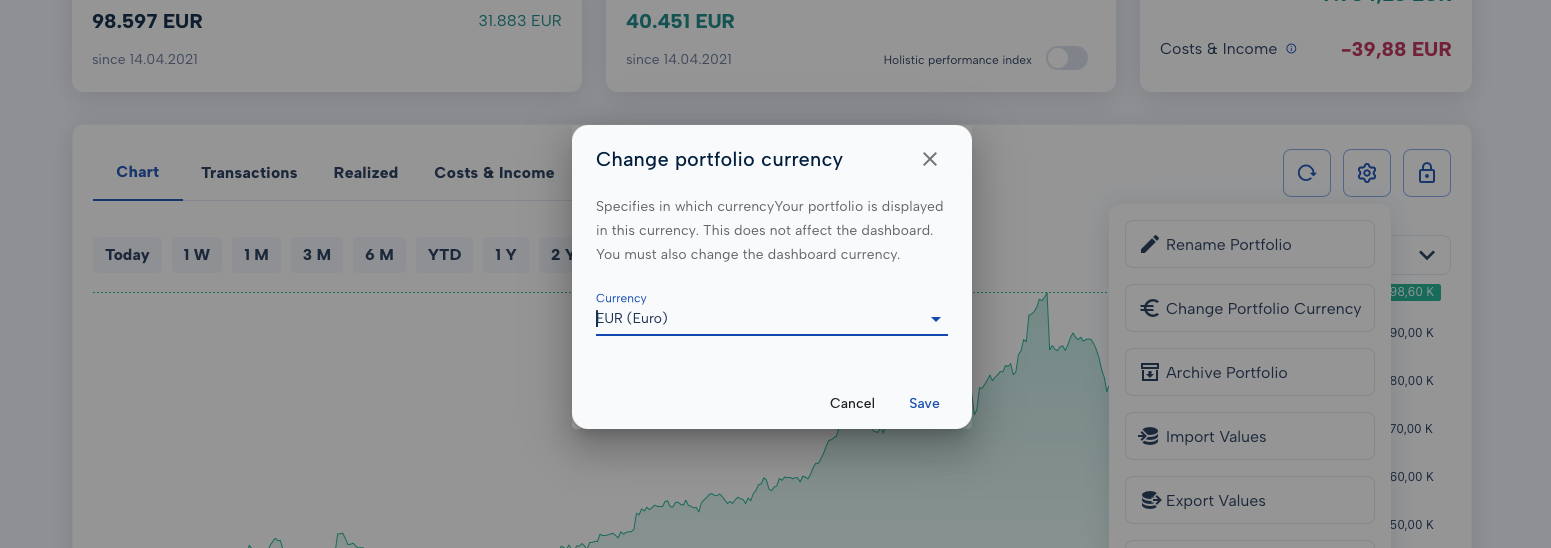
Change Portfolio Currency
- Open the portfolio settings via the gear icon
- Select "Change Currency"
- Choose your preferred display currency (EUR, USD, CHF, GBP, etc.)
Save — all values are converted automatically.
Change Dashboard Currency
- Click the gear icon on the dashboard
- Select "Change Dashboard Currency"
- Select your preferred currency and save
Change the Currency of a Single Position
- Open the position list for your portfolio
- Click the edit pencil in the currency column of the position you want to update
- Adjust the currency in the popup and save
Why This Is Useful
- International investments at a glance — all values in one currency, without doing the maths yourself
- Monitor currency risk — view the same portfolio in USD and EUR side by side
- Flexible for any investment style — whether you invest in US equities, European bonds, or Asian ETFs
Conversion is done automatically using live exchange rates. The original booking currency of every position is always preserved.