
Dashboard
The dashboard is your daily command centre — everything that matters, at a glance. It's fully customisable: you decide which widgets you see and in what order.
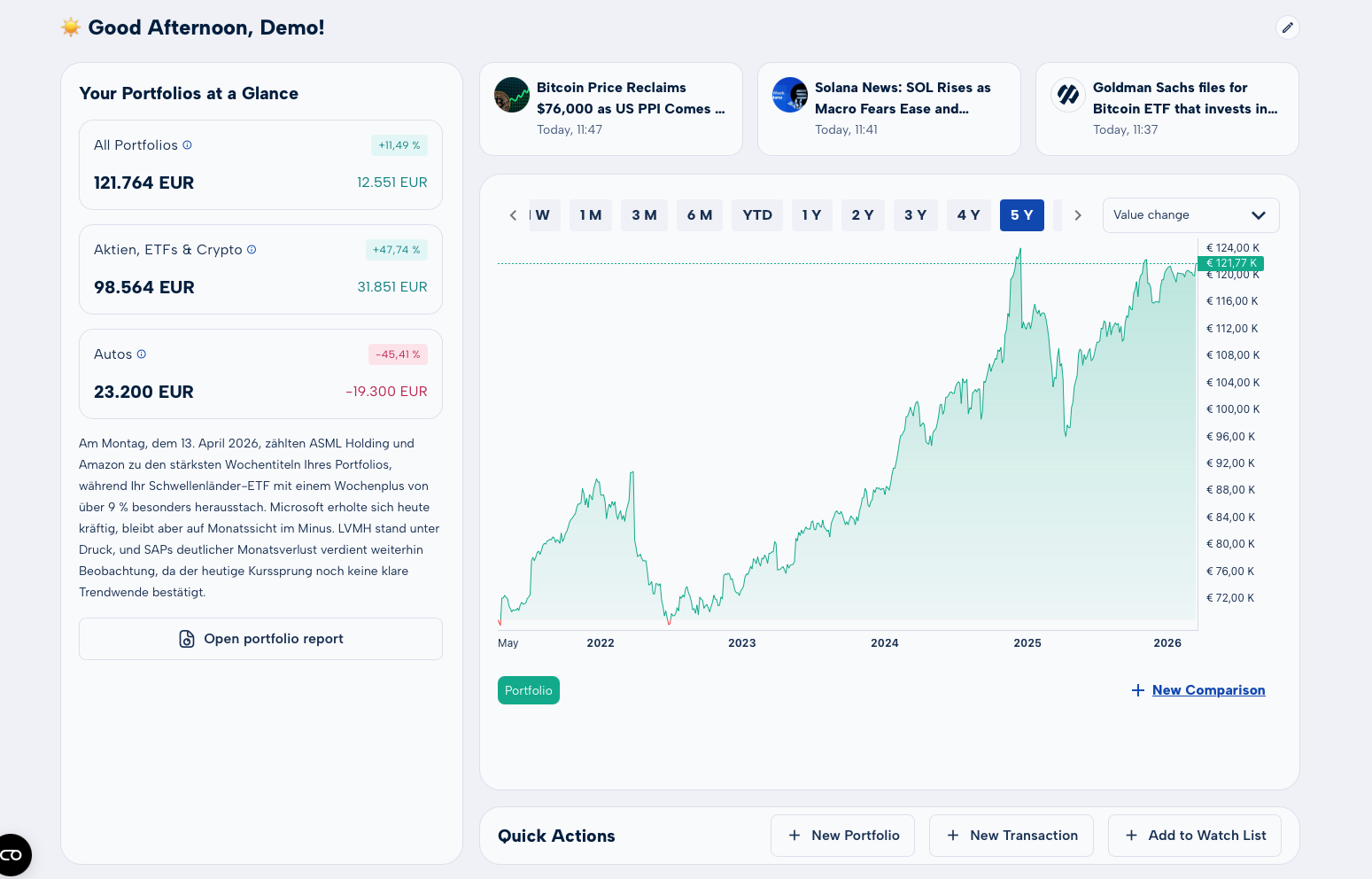
All Available Widgets
The dashboard is composed of multiple widgets that you can freely show or hide. Here's everything you can add:
Portfolio Overview
Your total portfolio value, daily change, and a performance summary across all portfolios.
Portfolio Chart
An interactive chart of your overall performance — selectable by time range (1W, 1M, 6M, 1Y, all).
Portfolio Reports
Daily analysis: which positions moved, what drove performance — with market context included.
Daily Market Report
A concise summary of the most important market moves of the day — as text or podcast.
News Feed
Current news about your positions and the broader market (fixed — always visible).
Market KPIs
Configurable indicators: Fear & Greed Index, Bull/Bear ratio, volatility indices (VIX, etc.).
finAgent Chat
Ask questions about your portfolio or the market directly from the dashboard (fixed — always visible).
Sector Reports
Performance of all eleven GICS sectors — strengths and weaknesses by industry at a glance.
Asset Allocation
Your wealth distribution by asset class, geography, currency, and sector.
Top Movers
The biggest gainers and losers of the day — from your own positions and the broader market.
Watchlist
Your watched securities with live prices and daily changes.
FAQ / Help
Frequently asked questions and platform tips — especially useful when you're just getting started.
Customising Your Dashboard
The dashboard can be fully tailored to your preferences. Here's how:
Moving widgets (drag & drop)
- Click the pencil icon in the top right to enter edit mode.
- Hold a widget and drag it to the position you want.
- Release — the layout saves automatically.
- Click "Done" to exit edit mode.
Showing and hiding widgets
- Open edit mode (pencil icon).
- In the widget sidebar, click the + or × next to any widget to add or remove it.
- All changes take effect immediately and are saved permanently.
Use "Reset Layout" at any time to return to the default arrangement if you want a fresh start.
Fixed Elements
Three elements are permanently visible on the dashboard and cannot be moved or hidden:
- Quick Actions bar – frequently used actions always within reach
- finAgent chat box – ask the AI directly from the dashboard
- News feed – the latest financial news always in view